
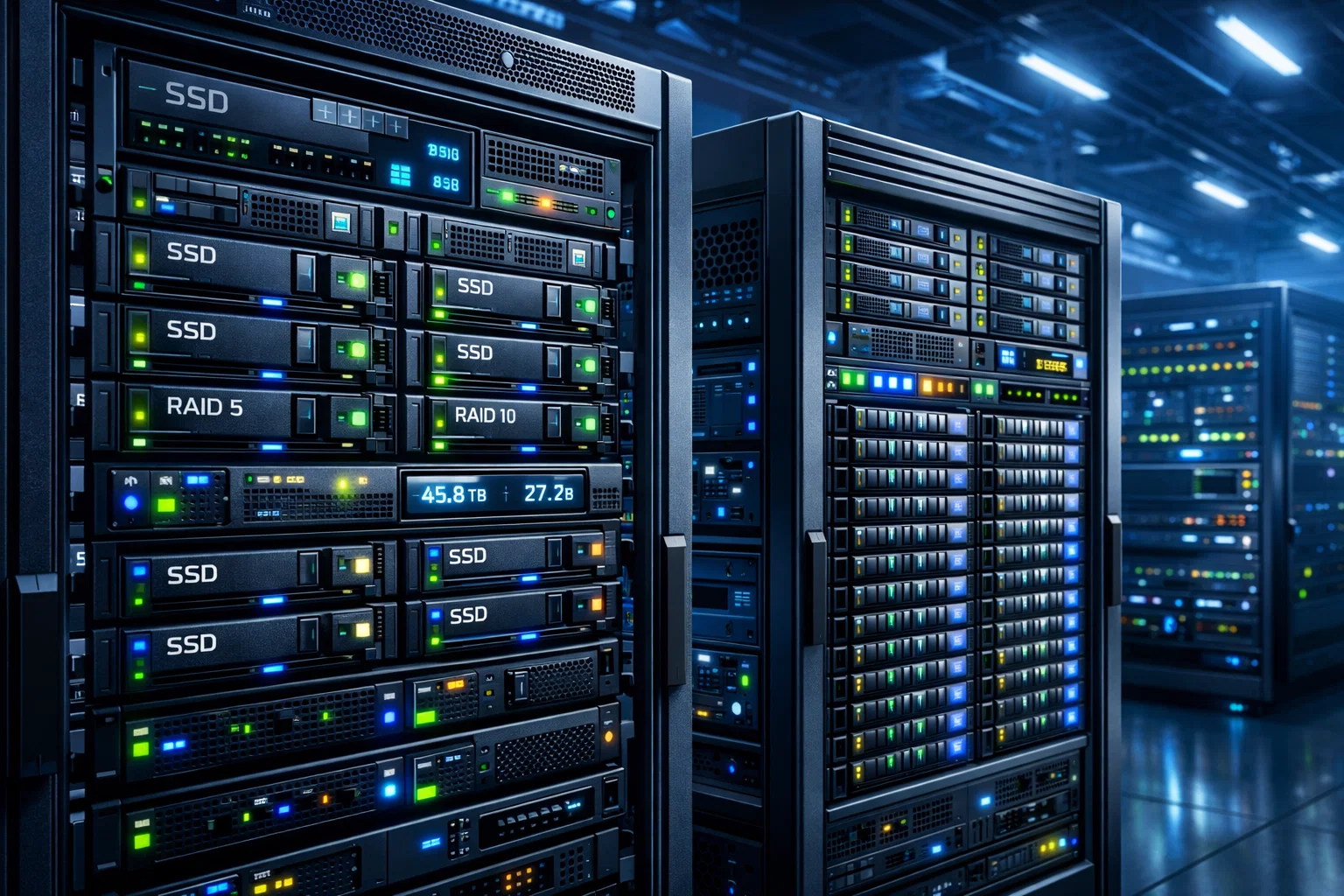
In today’s digital-first world, the demand for faster, more reliable, and scalable data storage has never been higher. Whether it’s a large enterprise managing petabytes of data or a small business running virtualized environments, solid-state drives (SSDs) have become the cornerstone of high-performance Storage Systems. However, the real magic happens when SSDs are combined in RAID and distributed storage architectures. Understanding how SSDs perform in these systems can help organizations optimize efficiency, minimize latency, and enhance data resilience.
The Rise of SSDs in Modern Storage Systems
Over the past decade, SSDs have evolved from being premium storage solutions to becoming the default choice for data-intensive applications. Their solid-state architecture eliminates mechanical components, providing near-instant data access, low latency, and exceptional durability compared to traditional hard drives. As Storage Systems continue to expand in scale and complexity, the role of SSDs becomes even more critical.
Businesses today are not just storing data—they’re processing it in real-time. From database acceleration to cloud storage, SSDs play an essential role in maintaining performance consistency. Their ability to handle high input/output operations per second (IOPS) makes them ideal for environments that require rapid access to frequently used data.
Understanding RAID and Its Impact on SSD Performance
RAID, or Redundant Array of Independent Disks, is a technology that combines multiple drives into one logical unit to improve performance, reliability, or both. When SSDs are used in RAID configurations, their inherent speed and endurance amplify these benefits significantly. However, not all RAID levels impact SSDs the same way.
RAID 0: Speed Above All
RAID 0, often referred to as striping, focuses purely on performance. It divides data evenly across multiple SSDs, allowing simultaneous read and write operations. This results in lightning-fast performance that’s ideal for gaming, temporary data caching, or media editing. However, RAID 0 offers no redundancy. If one SSD fails, all stored data is lost. While SSDs are more reliable than hard drives, this risk still exists and must be carefully considered.
RAID 1: Mirroring for Reliability
In contrast, RAID 1, also known as mirroring, creates exact copies of data across two or more SSDs. This setup enhances data protection since a single drive failure won’t cause data loss. While write speeds can be slightly slower due to duplication, read performance often improves because data can be fetched from multiple drives simultaneously. For businesses that prioritize reliability without sacrificing too much performance, RAID 1 is a balanced choice.
RAID 5 and RAID 10: The Best of Both Worlds
RAID 5 and RAID 10 configurations strike a balance between performance and fault tolerance. RAID 5 distributes parity data across multiple SSDs, allowing the system to recover data if one drive fails. RAID 10, which combines mirroring and striping, delivers both speed and redundancy, making it ideal for high-performance Storage Systems like database clusters and virtualization environments.
However, while RAID enhances overall efficiency, it’s not without challenges. For example, SSDs wear out over time due to limited write cycles. In parity-based RAID setups such as RAID 5, frequent write operations can accelerate wear levels across drives. Using enterprise-grade SSDs with advanced wear-leveling technology can mitigate this issue effectively.
Distributed Storage Systems: Scaling Performance Across Networks
While RAID focuses on performance and reliability within a single system, distributed storage systems take scalability to another level. In distributed architectures, data is stored across multiple servers or nodes, allowing for enormous scalability, redundancy, and fault tolerance.
When SSDs are deployed in distributed environments like Ceph, GlusterFS, or Google’s Colossus, their high throughput and low latency drastically improve system responsiveness. Each SSD-equipped node contributes to a pool of storage that can dynamically balance workloads, optimize performance, and ensure data availability even if individual components fail.
SSDs in Distributed Systems: Key Performance Advantages
One of the biggest advantages of using SSDs in distributed Storage Systems is their ability to handle massive concurrent requests. Traditional hard drives struggle with random I/O patterns, but SSDs excel in these scenarios. This means that distributed file systems can process high volumes of small transactions with minimal delay.
Additionally, SSDs reduce data replication overhead. In distributed systems, data is often replicated across multiple nodes to ensure reliability. The faster write and read speeds of SSDs minimize latency during these replication processes, improving overall system performance.
Energy efficiency is another factor worth noting. Since SSDs consume less power and generate less heat compared to spinning disks, distributed environments can operate more efficiently while reducing cooling and power costs. This makes SSD-based Storage Systems ideal for data centers seeking greener operations without compromising performance.
Challenges of Using SSDs in Distributed Environments
Despite their numerous benefits, SSDs in distributed architectures also present certain challenges. One issue is the cost associated with scaling SSD-based systems. Although prices have steadily decreased, deploying hundreds or thousands of SSDs across nodes can be expensive.
Wear leveling is another concern. In distributed systems where nodes handle varying workloads, some SSDs may experience heavier write operations than others. Over time, this can lead to uneven wear across drives. To address this, many modern storage solutions implement intelligent algorithms that balance write workloads across nodes.
Moreover, maintaining consistent performance in a distributed network can be tricky. Variations in SSD models, firmware, and interfaces may introduce latency inconsistencies. Standardizing hardware configurations and using enterprise-grade NVMe SSDs can help ensure uniform performance across all nodes.
Optimizing SSDs for RAID and Distributed Storage Systems
To fully harness the power of SSDs in RAID and distributed architectures, careful optimization is essential. Choosing the right RAID level for specific workloads is the first step. For example, database systems benefit from RAID 10, while read-heavy applications may perform well on RAID 5.
In distributed environments, enabling features such as TRIM and garbage collection ensures that SSDs maintain consistent performance over time. TRIM helps the SSD’s controller manage unused data blocks efficiently, reducing latency during write operations.
It’s also important to use SSDs designed for data center workloads. Consumer-grade SSDs may offer good performance initially but tend to degrade faster under heavy write operations. Enterprise SSDs from brands like Samsung, Intel, and Western Digital are optimized for sustained performance and endurance.
For organizations scaling their infrastructure, it’s often cost-effective to buy SSDs in bulk from trusted suppliers. Bulk purchasing not only reduces per-unit costs but also ensures consistency across Storage Systems, minimizing compatibility issues and simplifying maintenance.
Future Trends
As technology continues to advance, SSDs will play an even greater role in next-generation storage architectures. With the rise of NVMe over Fabrics (NVMe-oF) and PCIe 5.0 interfaces, future Storage Systems will experience unprecedented data transfer speeds and lower latency.
Moreover, the integration of AI-driven storage management tools will allow for predictive maintenance, automated workload distribution, and intelligent caching strategies. This evolution will make distributed storage smarter, faster, and more efficient than ever before.
Conclusion
SSDs have redefined what’s possible in both RAID and distributed Storage Systems. Their unmatched speed, durability, and energy efficiency make them indispensable for modern data-driven infrastructures. Whether you’re designing a local RAID array for improved performance or deploying SSDs across a distributed cloud environment, the benefits are undeniable.
By understanding the nuances of SSD behavior in different configurations and optimizing their deployment, organizations can unlock superior performance, reliability, and scalability. As data demands continue to grow, SSD-based Storage Systems will remain at the heart of innovation, powering the next generation of computing environments with speed and precision.